

One document workflow
Send, sign, and track documents in a single workflow.
Send, sign, and track documents in one workflow.
Usage guide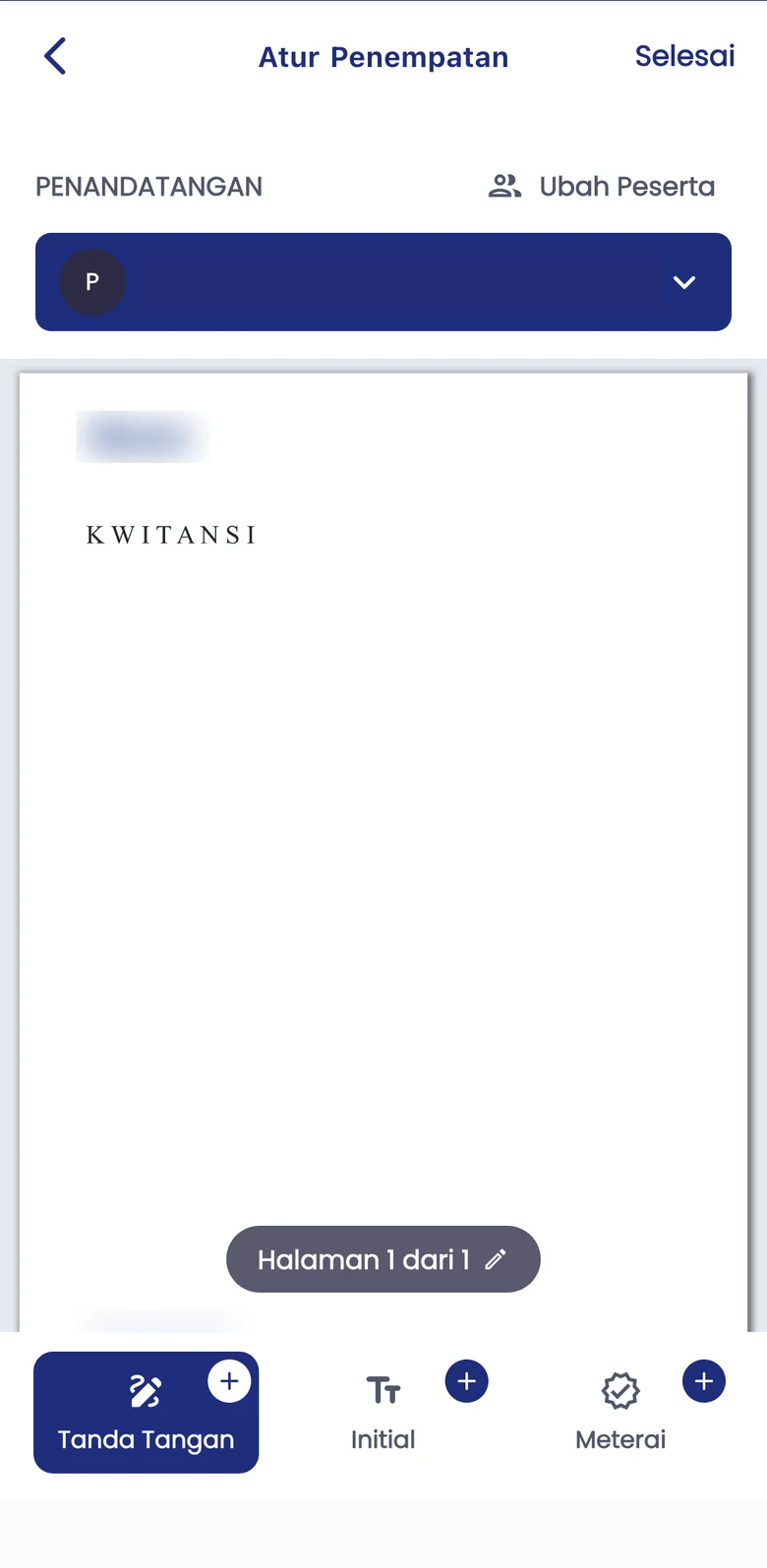
Send, sign, and track documents in a single workflow.
Review the document and position signature fields before proceeding.
Start independently or discuss integration with your company systems.
Identify the document and the people who need to sign it.
Review the content and place signature areas where they are needed.
Continue the signing process, then check document status in the workflow.
Manage your own document needs independently with a Personal account.
Start as PersonalDiscuss workflows, API integration, and implementation support for your organisation.
Contact Enterprise SalesExplore Enterprise API optionsAdapt the process to the document type, user authority, and applicable requirements.
Register as Personal to start independently. For organisational workflows and API integration, contact Sales.
Enterprise API offers document processing and hash-only options. In hash-only mode, source documents stay in your environment; identity data and API metadata still need assessment in the integration design.
Signers, document types, and applicable requirements can differ. Review your document requirements and confirm the implementation with Xignature.
Start independently or discuss your company workflow with the Xignature team.